
Math Practice Apps in 2026: Pick by Use Case
Compare apps by the practice they actually create.
App filter
Pick the app that creates the next drill
A useful app turns a lesson into one immediate practice action.
- 1Check whether the app gives targeted practice.
- 2Look for feedback after mistakes.
- 3Prefer a clear next drill over a long content library.
Buying check
Before paying, verify the current plan details and whether the practice loop matches your learner.
No math app is best at every job. A learner who needs repeated arithmetic practice has a different problem from someone who needs a first explanation of quadratic equations. Start with the job, then judge how well the tool handles the next step after a mistake.
Feature descriptions below were checked against official product pages on July 19, 2026. Access rules, prices, and plan boundaries can change, so verify those details on the linked site before paying.
Choose the app by the work it creates
| Tool | Strong fit for | What the practice looks like | Check before choosing |
|---|---|---|---|
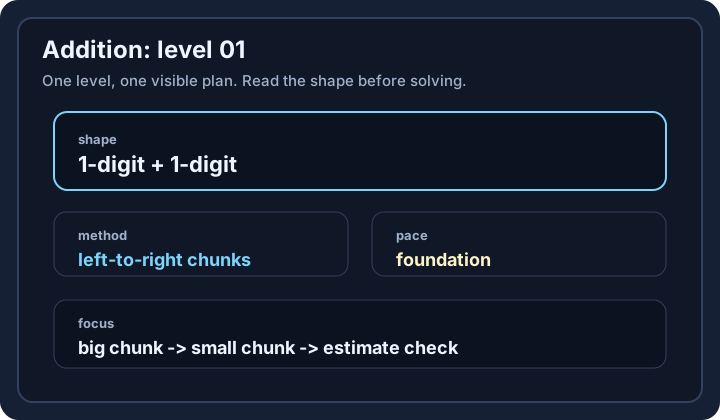
| Math Gym | Focused arithmetic and number-sense drills | Pick a category and level, solve a set, then review the matching method | Confirm the available category matches the learner's weak skill |
| Khan Academy | Curriculum coverage and mastery practice | Lessons, exercises, quizzes, unit tests, and course challenges across school math | A broad course may need a teacher or learner to choose the next unit |
| Brilliant | Interactive concept building and mathematical reasoning | Guided visual lessons with hands-on questions and feedback | Check current free and paid access for the desired path |
| Photomath | Help unpacking a specific written problem | Scan or enter a problem, then inspect solution steps and possible methods | The learner still needs to solve a nearby problem without scanning it |
| WolframAlpha | Verifying calculations and exploring advanced topics | Enter a mathematical query and inspect computed results; step-by-step access varies | Treat the output as a check, not proof that the method is understood |
This is a use-case comparison, not a single ranking. Khan Academy's official math pages show broad course and mastery structures. Brilliant describes interactive lessons and feedback. Photomath describes scanning and step explanations. WolframAlpha documents broad computational coverage. Math Gym is the narrowest option here: it is built around short practice sets and method-specific review.
Diagnose the learner before opening an app
Use one missed problem to identify the need.
Worked example: A learner answers 68 + 57 as 115. Ask them to explain the carry.
- If they cannot describe why the ones sum of 15 creates a carry, start with a concept explanation.
- If they understand the carry but lose it under time pressure, use a targeted drill.
- If their own result and an answer key disagree, use a computation tool to verify the arithmetic, then locate the first different step.
- If the error came from reading the question, another speed set will not fix it; practise translating words into an expression.
The same wrong answer can therefore lead to different tools. The diagnosis matters more than the app's feature count.
Run a three-session trial
Do not judge a learning tool from its home screen. Use the same weak skill across three short sessions and record:
- Start: Can the learner reach a relevant activity without hunting through unrelated content?
- Feedback: After a miss, does the tool identify a useful next action or only reveal the answer?
- Transfer: Can the learner solve a new, unscaffolded problem on paper?
- Return: Is it clear what to practise in the next session?
Worked example: After practising two-digit addition, test transfer with 76 + 58 on paper. A correct answer with a clear carry explanation is stronger evidence than finishing an in-app set.
A practical pairing is often better
One app can teach a concept while another supplies focused repetition. For example, use a curriculum lesson to learn fraction addition, a short drill set to stabilize common denominators, and a calculator only to check a few results. Keep the chain small. If the learner spends more time moving between tools than solving problems, the setup is too complicated.
Choose the smallest toolset that closes the current gap, and re-evaluate when the gap changes.